
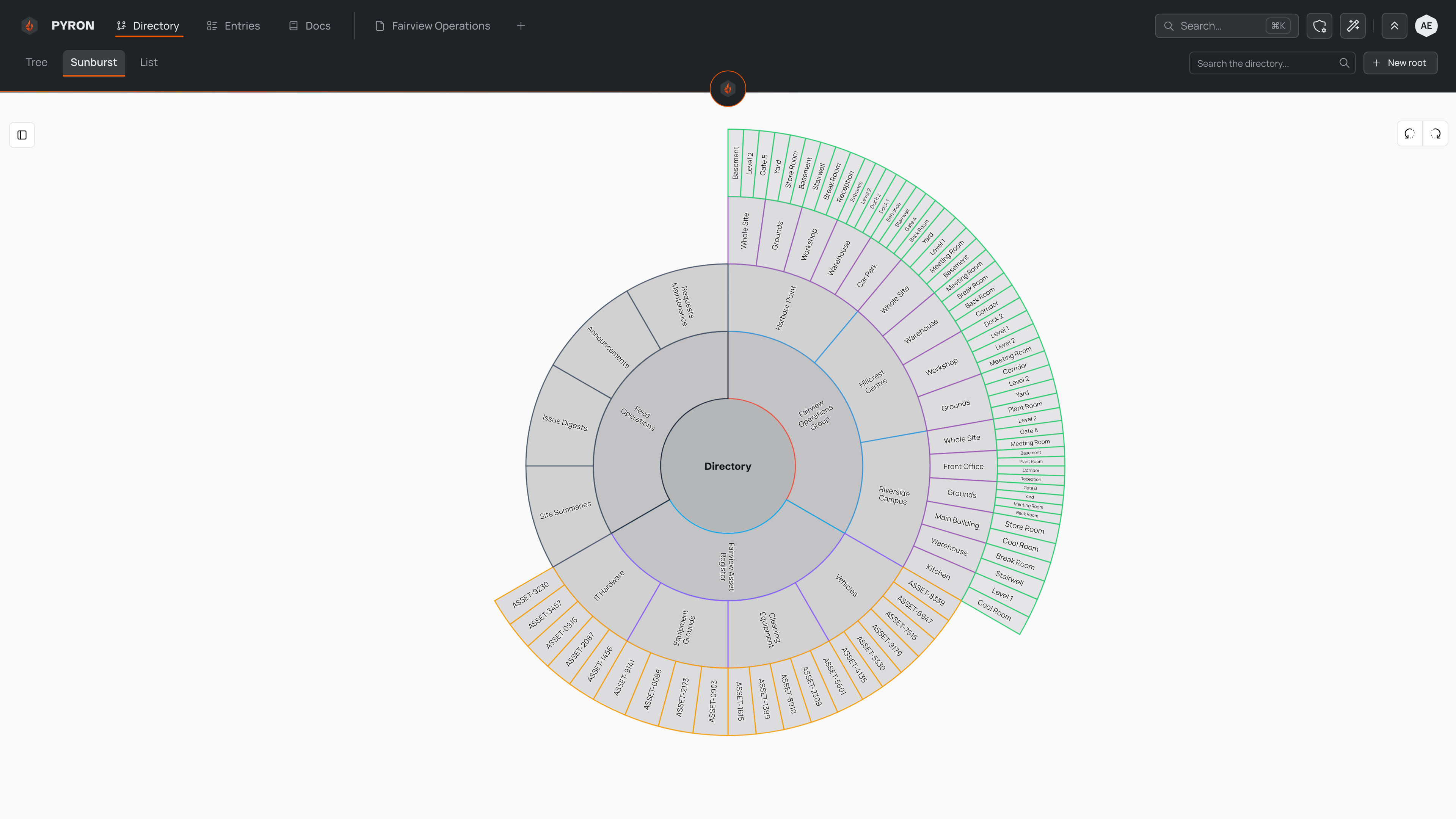
The Sunburst view draws your whole directory as a set of concentric rings. The centre is where you are standing, and each ring further out is a level deeper, so the shape of everything beneath you is visible in one glance. It is one of three ways to look at the same directory, alongside the tree view and the list view.
Switching to the sunburst view
Select Directory in the top navigation to open the view. Across the top sit three tabs — Tree, Sunburst and List — that show the same directory three ways.
Select the Sunburst tab. The branching tree is replaced by a wheel of rings that fills the space, with the whole directory laid out around a single centre.
The search field, labelled Search the directory..., sits above the wheel, and New root starts a fresh top-level tree — switching views changes only how the directory is drawn, not what you can do with it.
Reading the rings
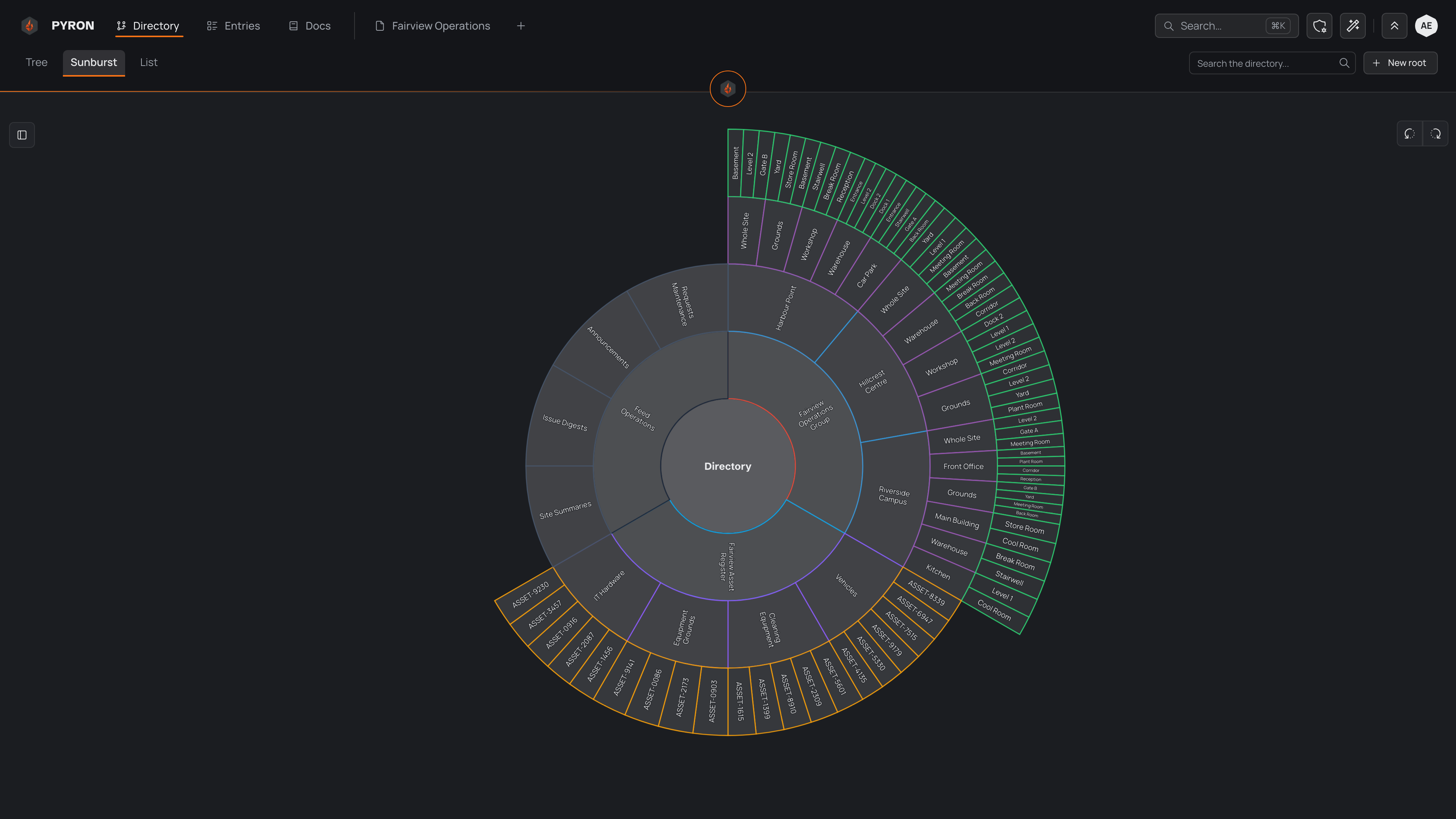
At the centre is whatever you are looking at, named in the middle of the wheel. When you first open the view and are standing at the top, the centre reads Directory, because every root sits one ring out from there.
Working outward from the centre:
- The first ring holds the roots. Each ring beyond it holds their children, then their children's children, and so on — one ring per level.
- Everything is a wedge. A wedge with a wide arc has many siblings sharing that ring; a narrow sliver is one of many things at that depth.
- Each wedge is outlined in its category's colour, the same colours the tree view uses, so you can tell one kind of thing from another across the whole wheel. The fill itself deepens ring by ring, which helps the levels read apart.
Only the first few levels below the centre are drawn at once. A deep directory has more rings than would fit legibly, so the outer levels are held back until you move the centre closer to them — see below.
Hover over any wedge to identify it. That wedge and the path back to the centre light up while the rest of the wheel dims, and a small panel shows the name and the full trail of parents above it. This works even for the thin outer slivers that are too small to label.
Drilling in and out
The wheel moves you around the directory by changing what sits at its centre.
- Zoom in. Click a wedge that has children and it becomes the centre; its own children fan out into the rings around it, and the deeper levels that were held back come into view. The trail of parents along the top of the page updates to show where you are.
- Zoom out. Click the centre to step back up to the parent, returning to the wider view. From a root, this takes you back to Directory.
- Open a page. Double-click any wedge to open its page. Clicking a wedge that has no children — the end of a branch — opens its page straight away, since there is nothing further to zoom into.
You can also move up through the trail of parents at the top of the page: selecting one of them re-centres the wheel there, the same as zooming out to it.
If a wedge sits at an awkward angle to read, spin the wheel to turn it upright. Drag anywhere on the wheel to rotate it, or nudge it a step at a time with the Rotate sunburst left and Rotate sunburst right controls. The labels re-orient as you turn so they always stay the right way up.
To read more about the directory, categories and how things nest inside one another, see the directory.