
In Pyron, the directory holds everything your organisation keeps track of, joined together into trees. Where something sits in the directory decides who can see it, which forms apply, and what it counts toward — so it is worth knowing what the pieces are called before you start filing information.
What the directory is
The directory holds one card for each place or thing you keep track of: an organisation, a site, an area within a site, or an item such as a vehicle or a piece of equipment. Everything sits in a tree, with a parent above it and children beneath it. Together they form the shape of your organisation.
The Directory page shows the whole structure. You can open and close branches, search by name, and change how the tree is drawn.
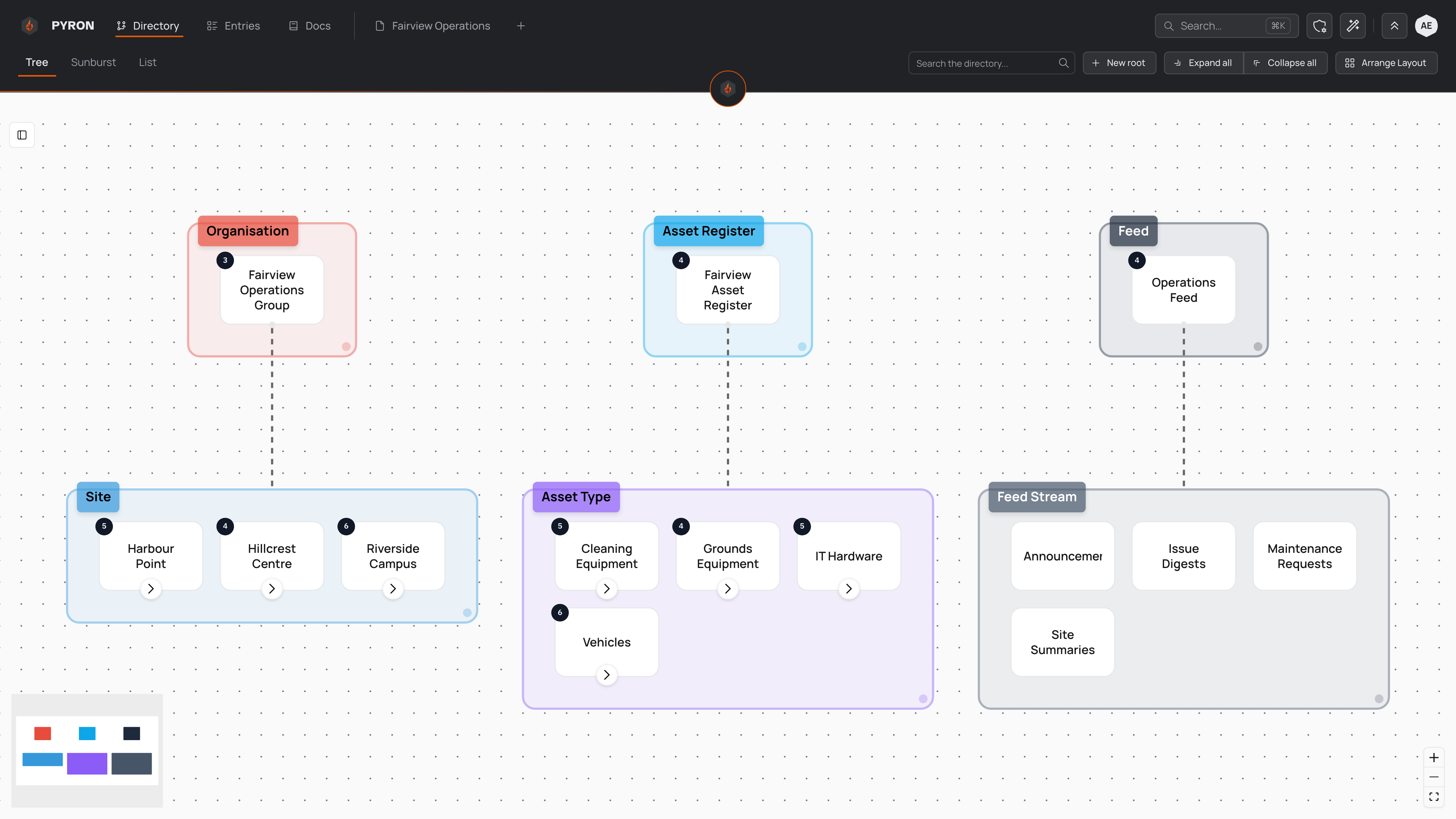
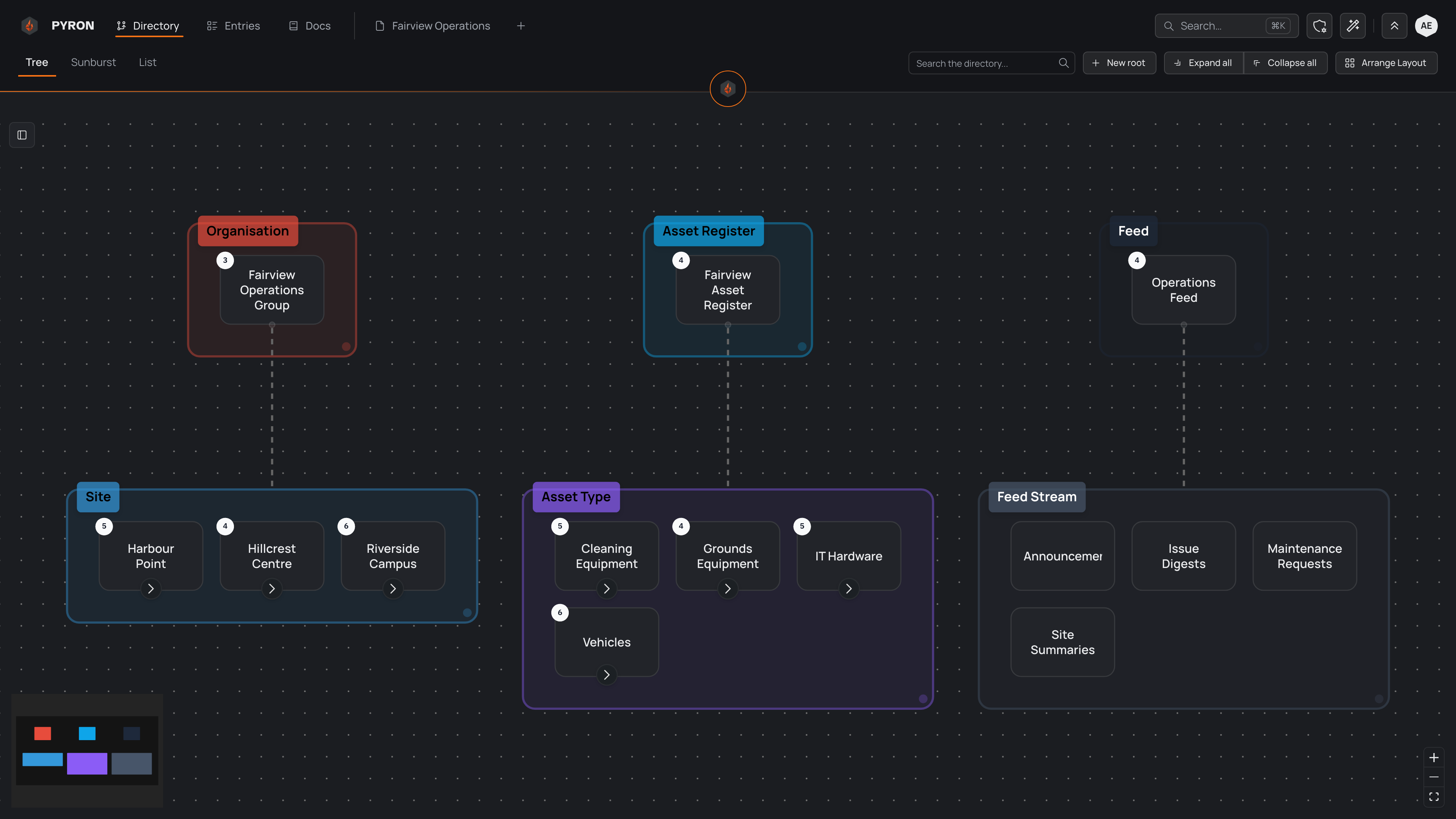
A few controls change what you see: the view tabs switch between the "Tree", "Sunburst" and "List" layouts, the "Search the directory..." box jumps to anything by name, and "Expand all" or "Collapse all" open or close every branch in one step. For a fuller tour of these controls, see Tree view.
Categories give levels meaning
Everything in the directory has a category — a label that says what kind of thing it is at its level in the tree, such as a site, an area, or an asset type. Categories are what give each level its meaning: one tree might start with an organisation, hold sites on the next level, and areas beneath those. Pyron then speaks in those names — "Edit Site", "Add a Vehicle" — so the directory reads in your organisation's own words. The categories your organisation uses depend on how it has been set up.
Categories also decide how far a person's access reaches. Access flows down the directory: give someone a site and they can reach everything beneath it, all the way to the bottom of that branch. Granting access high up opens a whole branch at once, while granting it lower down keeps the view narrow.
More than one tree
Your directory is not limited to a single tree. You can keep several side by side, each holding one kind of information. One tree might map your sites and areas, another might list your assets and equipment, and a third might group the feeds your teams follow.
Each tree begins from its own root and carries its own set of categories, so everything belongs to exactly one tree. Trees never share a root, and the entries kept under one tree can look nothing like those under another. You move between them on the same Directory page — every tree appears in the "Tree", "Sunburst" and "List" views.
Where entries live
The directory gives your information a home. Every entry you capture — an inspection, a shift log, a report — is filed against a place or thing in it, and that is how Pyron knows where the entry belongs and who can see it.
Because entries attach to the directory, a site's or a vehicle's own page shows the entries filed against it, and opening a branch higher up brings together everything filed beneath it. To browse entries from across the whole directory in one table, use the "Entries" page.
To learn more about entries themselves, see Entries.