
Pyron reaches the systems you already run — a public data feed, a building-sensor API, your own back-office service — so your automations can pull information from them or send updates to them. An outbound connection is the saved definition of one such system: where it lives, and how Pyron authenticates to it. Set a connection up once, and every automation that calls that system works from the same trusted credentials.
The integrations hub
Outbound connections live in Setup, under Connections — the list of connections your organisation has set up. Logins, beside it, holds the email and password for each website your automations sign in to. API keys, the keys external systems present to reach Pyron, live with the service accounts they act as, under Organisation → Service accounts, and have their own page.
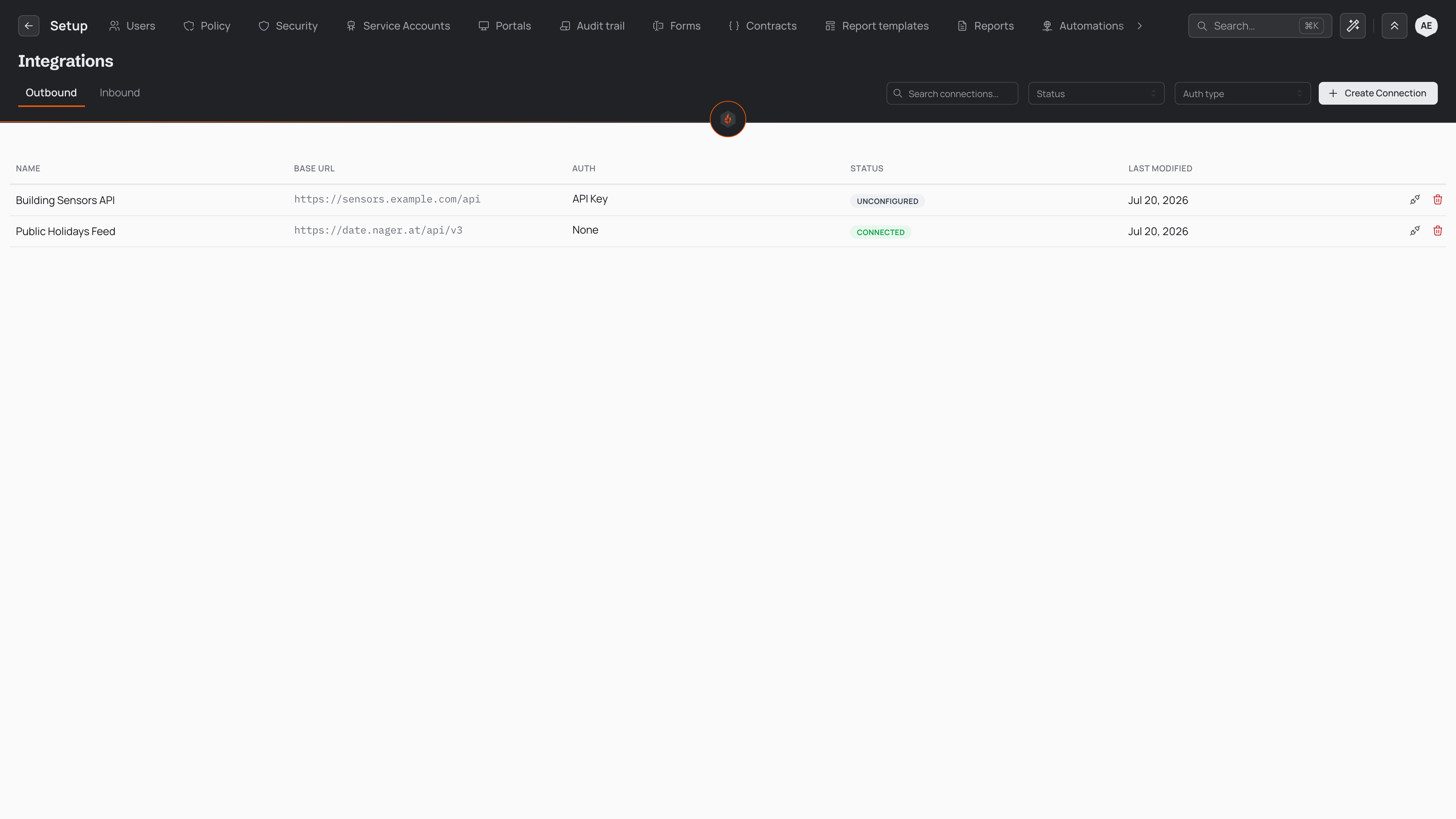
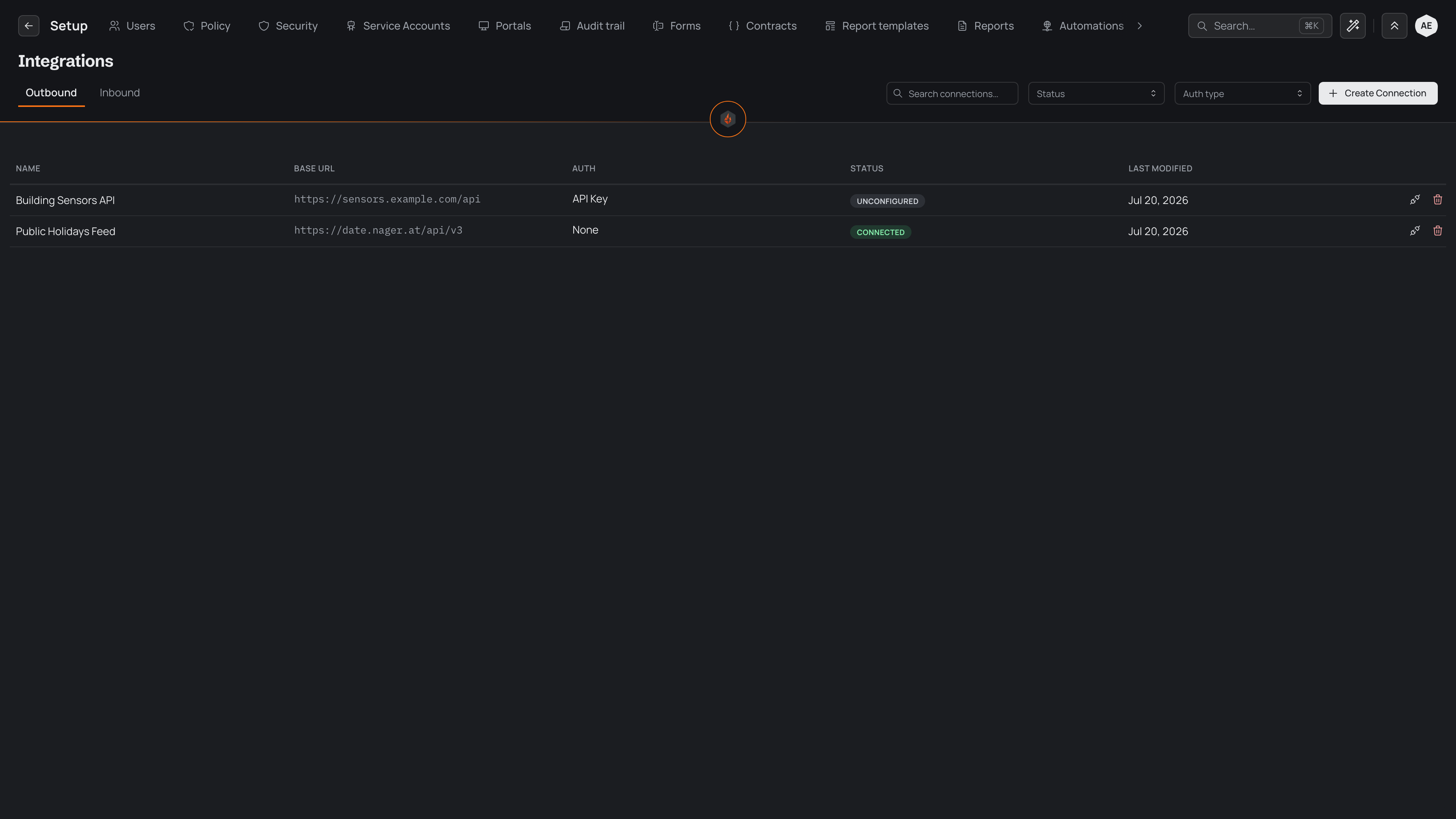
Each row summarises one connection: its name and the service it reaches, how it stands, and which automations use it. A connection reads Working once the service has let it in since it last changed — an automation's request went through, a test passed, or the provider renewed its sign-in — with when that last happened. Connected means its credential is stored but nothing has proved it yet. Needs you (a sign-in that expired) and Key refused say the service now refuses it, and since when; Not finished means it has nothing to sign in with yet. A connection in trouble offers its fix right on its row — Reconnect, Replace key or Finish — and the broken ones are listed above the table too, each saying how many runs the automations that use it have missed since it stopped working. The Needs you filter shows only those.
Select a row to open that connection's own page. It tells you, in order, whether the connection is working, what depends on it, and what to press. When it needs you, the page says why — for example, that the service stopped accepting its sign-in on a given day — and its fix leads the top of the page: Reconnect signs in again at the provider, Replace key opens the place to enter a new key, and Finish completes one never set up. Below that, Status says when it last worked, Used by lists the automations that rely on it (while it is broken, with how many runs each has missed since it stopped because a call to it was refused), Signed in as names the account it signed in with (when the provider told Pyron), and Details holds its name and description. How it signs in — the credential, a signing secret and certificates — is folded under How it signs in. Change what you need, then select Save at the top of the page — or Discard to put it back as it was. A connection created from one of Pyron's ready-made set-ups only talks to that service's address; to reach a different address, create a custom connection instead.
When nothing needs fixing, Test leads instead: it sends a test request and tells you whether the system answered and accepted the credential. The page's actions menu holds the rest, and Delete removes the connection — unavailable, with the automations to change first, while any automation uses it. A row's actions menu in the list offers the same test and delete without opening the page. A connection that an automation depends on cannot be removed until you detach it there, which protects the automations already relying on it.
Creating a connection
Select Connect and choose the system you want to reach. Pyron suggests the services your automations ask for first, then the ones most companies connect; type to search every service Pyron knows. Pick one and follow its numbered steps — the name starts as the service's, and you enter only what that service asks for. A service you sign in to uses your company's own app with that service: the first step gives you the address to paste into it, with Copy, and the button reads Sign in with the service. For a system that isn't listed, choose Set one up by hand and work down the form:
- Give the connection a name your team will recognise, and enter the base address of the system it calls — the root that every request builds on.
- Choose how Pyron authenticates. A connection can present an API key, send a bearer token, sign in with a username and password, sign each request cryptographically, or hand off to the provider's own sign-in screen. Pick the method the external system expects. To sign requests your own way, choose HMAC Request Signing and the Custom template preset, then build the String to sign: type / or select Insert to add a part of the request — its method, path, query, host, full address or body, or a timestamp, a nonce, a key ID or a hash of the body — with any text you need between them. A timestamp or a nonce then asks where it is sent and in what format, a key ID which value of the auxiliary secret bundle holds it, and a body hash how the body is hashed. The line under the field shows what an example POST would sign.
- Enter the credential that method needs — the key, token, password, or secret. For a system that needs no credentials, leave the method set to none.
- Select Connect.
A connection can also hold two optional extras, both applied to every request whatever the authentication method: a signing secret Pyron uses to sign outbound webhook deliveries, and a client certificate for systems that require one.
Creating a connection takes you to its page, where Pyron sends it a test request straight away and tells you whether the system answered and accepted the credential.
When a connection authenticates through a provider's sign-in screen, Pyron sends you to the provider as soon as you create it, so you can approve access. The provider returns you to the connection's page, which tells you whether the authorisation went through. If you decline, or the provider refuses, the page says why, and the connection waits until you authorise it — choose Finish from its actions menu to try again.
Once it is set up, a connection is ready for your automations to use. The operators that make outbound calls — the steps that fetch data from another system or send it a request — refer to the connection by name, so updating a credential in one place flows through to every automation that relies on it.
Credentials are write-only
Every secret you give a connection — an API key, a token, a password, a signing secret, or a certificate — is stored in a protected vault and never shown again. The list and the connection's page tell you whether a credential is set, but never reveal the value itself. A saved secret cannot be read back by anyone, including you.
This shapes how you edit a connection. On its page, the credential fields are empty: leave a field empty to keep the stored secret in place, or enter a new value to replace it. Changing a connection's name, address, or other settings leaves the credentials it already holds untouched.