
An inbound API key lets a system you run — a partner's platform, a device in the field, a script on your own servers — call into Pyron without a person signing in. Each key acts as a service account: a stand-in identity whose roles decide what a caller holding the key can reach, most often to trigger an automation. You issue a key per integration, hand over its secret once, and revoke it the day that integration ends.
Issuing a key
Inbound keys live in Setup, under Organisation → Service accounts, because each key acts as a service account. Open its API keys view to see the keys your organisation has issued; the Accounts view beside it lists the accounts they act as. The reverse direction — the connections Pyron's own automations call out through — lives under Connections.
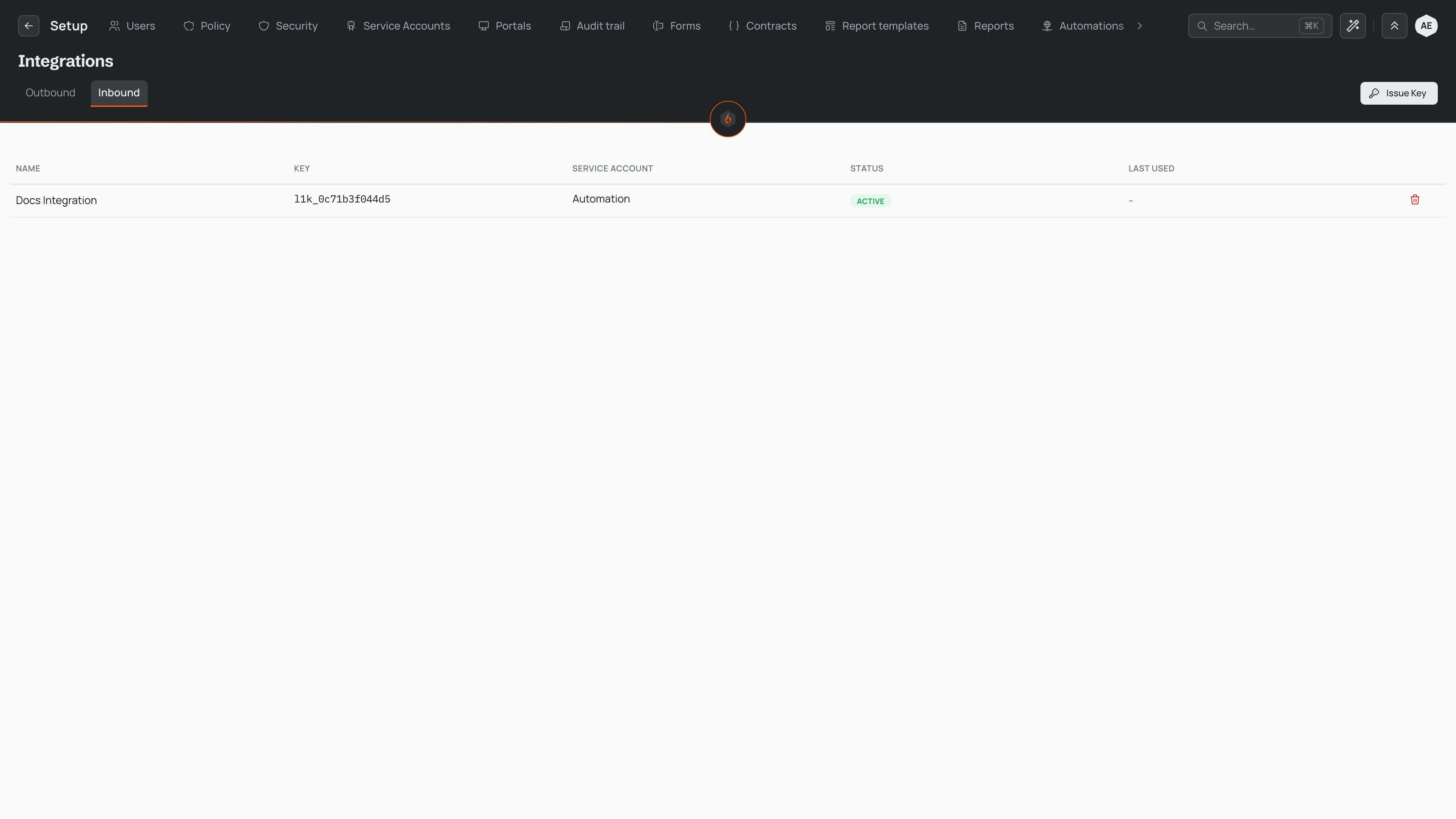
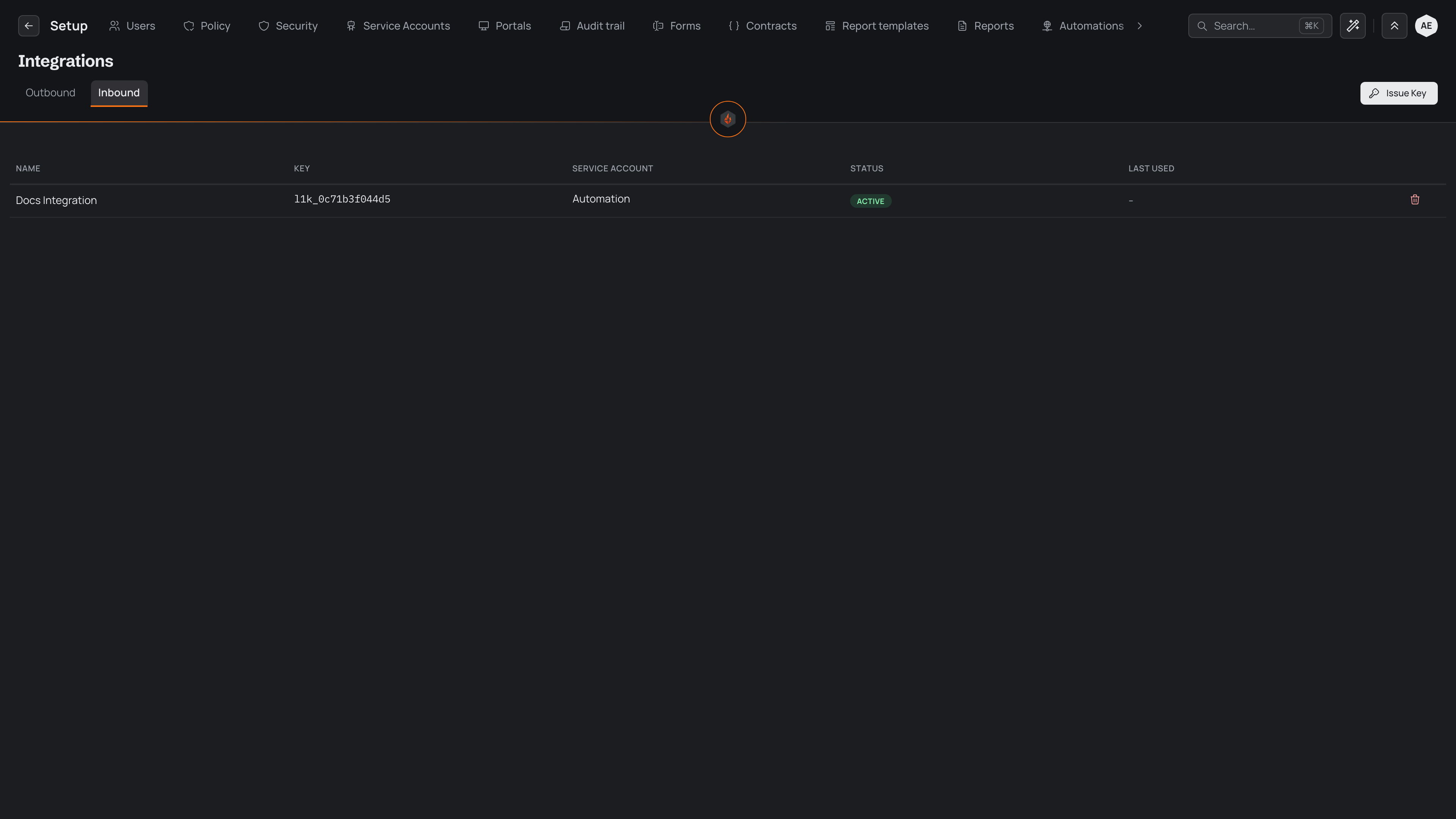
Each key you have issued appears in the list with its name, its public identifier — the part that starts l1k_ — the service account it acts as, its status, and when it last called in. The identifier is safe to share and to keep on hand; it names the key without being the secret that authorises it. Select a key's row to open the page of the service account it acts as.
To issue a key:
- Select New API key.
- Choose the service account the key acts as. Every call made with the key runs as this account, and its roles set what the key can reach — so pick one whose access matches what the caller needs, and no more. If a suitable account does not exist, set one up first on the service accounts page.
- Give the key a name that says who or what will hold it — the partner, device, or script on the other end — so you can tell your keys apart later.
- Select Issue key. Pyron shows the full key one time, on screen. Copy it straight away and give it to the system that needs it.
You can also issue a key from a service account's own page: its API keys section lists only that account's keys, and a key issued there acts as that account, so you only give it a name.
The full key is the whole secret. Pyron stores a one-way hash of it to check callers against, and keeps the value itself nowhere — so no screen shows it a second time.
Checking a caller is still calling
An automation that starts when a system calls in is listed under Connections too, as a row that calls in, beside the connections that call out. Its row says when the last call arrived, and the Calls in filter lists only these. Open one to see the address it calls, the key its calls present and the service account that key acts as, how often it usually calls, and its calls of the last three days, each opening its run. If a call it usually makes at a set time hasn't arrived half an hour later, the page leads with that, its row says when the last call came, and it is listed under Needs you with the connections that stopped working.
To hear about it, turn on Tell me when a call is missed under its rhythm. It is off until someone turns it on, and turning it on tells you; Change tells another person, or everyone with a role, instead. Whoever it names gets one notice in their Inbox, and one email, each time a call it usually makes doesn't arrive half an hour after its usual time — not one for every call it misses after that — and the notice goes away by itself when calls come again.
Sending files
Another system can drop a file into Files with a key, such as a nightly export from a guard-tour system. It asks to add the file (POST /api/v1/files/ with its name, size, place and folder), sends the file to the address it is given, then finishes it (POST /api/v1/files/<file>/finish/). The file is checked for viruses like any other and shows Added by the API. An automation with a Someone adds a file trigger on that folder then starts on its own, within seconds. The key reaches only the places its service account can see. See Triggers.
Scopes and expiry
A key holds no permissions of its own. Everything a caller can do with it comes from the service account the key acts as: that account's roles are the key's reach, in full. There is no separate per-key scope to tick — to widen or narrow what a key can do, change the roles on its service account, and every key acting as that account moves with it.
This keeps a key easy to reason about. Two keys pointed at the same service account have matching access; a key pointed at a tightly scoped account can touch only what that account can. Give each integration its own service account when it should hold its own slice of access, and its own key so you can cut off one caller without disturbing the rest.
A key stays valid from the moment you issue it until you revoke it — issuing sets no expiry date, so a key does not lapse on a schedule. Plan to rotate long-lived keys yourself: issue a replacement, move the caller across to it, then revoke the one it replaced. A key's status marks whether it is in force, and a caller that presents a revoked or lapsed key is turned away rather than let in.
Revoking
Revoke a key the moment it stops being needed, or if it might have leaked — a key written into a log file, committed to a code repository, or held by a partner you have parted ways with. Revoking cuts the key off at once: the next call that presents it is refused.
To revoke a key, open the actions menu on its row and choose Revoke. Pyron asks you to confirm and names the key, so you cannot cut off the wrong one by mistake. Confirm, and any system still holding that key stops getting in from that point.
Revoking is final for that key — there is no reversing it. A revoked key keeps its place in the list, marked as revoked, so the history of what was issued and withdrawn stays available to review. To restore access for the integration itself, issue it a new key and update the caller with that value.
Removing a service account revokes every key that acts as it in the same stroke. Retiring an integration in full, then, is a matter of removing its service account — its keys stop working with it.